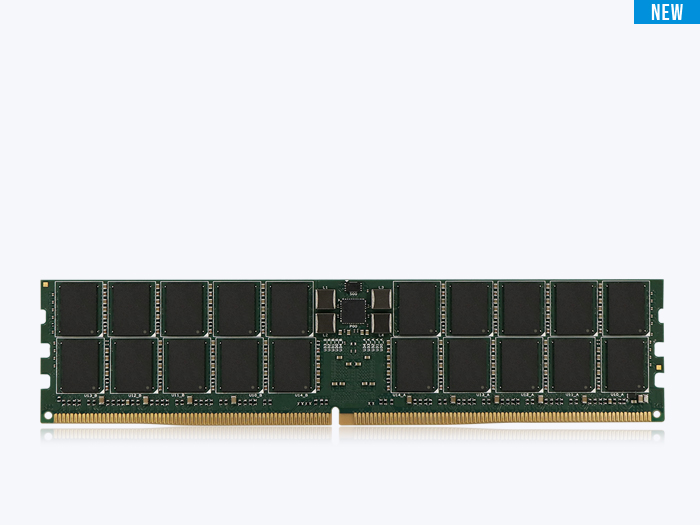
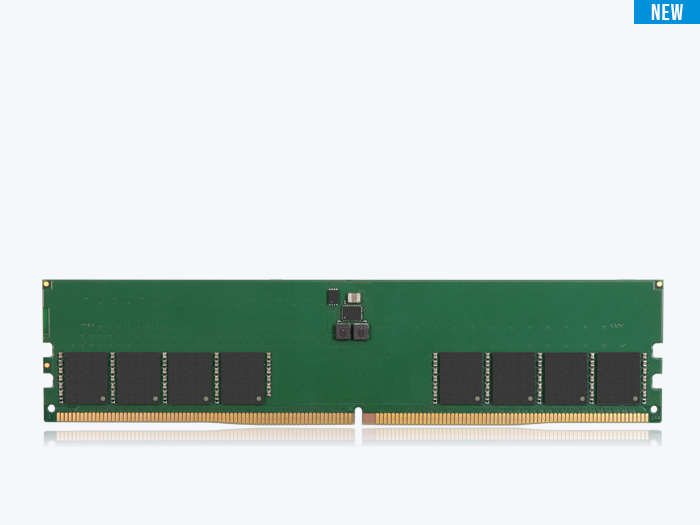
A DRAM configuration like “2Gx8” is a precise description of how a memory chip is organized inside — 2 billion locations deep and 8 bits wide per access. Read it correctly and you can work out the chip’s density, and from there the capacity of any module built from it.
Key Takeaways
- The “2Gx8” notation describes one DRAM chip’s internal organization: 2 billion addressable locations deep, 8 bits wide per access. The first number is depth; the second is the data-bus width.
- Chip density equals depth times width. A 2Gx8 chip stores 2 billion × 8 bits = 16 gigabits (Gb). The same density can also be built as 1Gx16 or 4Gx4.
- Data width (x4, x8, x16) is the number of data pins on the chip. It sets how many chips a module needs to fill its data bus, which in turn shapes capacity, ECC layout, and power.
- Density and capacity are different units. Density is per chip, in gigabits (Gb). Capacity is per module, in gigabytes (GB). You convert by multiplying chip density by chip count and dividing by eight.
Why DRAM configuration matters
Pick up any DRAM chip specification and the first thing you see is a configuration like 2Gx8, 1Gx16, or 4Gx4. It looks like a part of the part number, but it is actually a precise description of how the chip is organized inside. Once you can read it, you can work out the chip’s density, and from there the capacity of any module built from it.
This article covers the notation, the math behind it, and why the width half of the equation matters as much as the depth.
What does “2Gx8” mean?
The notation 2Gx8 represents the internal organization of a DRAM chip — its addressable storage depth and its data width. It breaks into two parts:
- 2G (depth): the number of addressable storage locations on the chip. “2G” means 2 Gig — 2 billion — locations.
- x8 (width): the data-bus width. An x8 chip has an 8-bit interface and moves 8 bits of data per access.
So a 2Gx8 chip has 2 billion locations, each delivering 8 bits when accessed. Width is sometimes written without the depth — “x8” or “x16” on its own — when a discussion only cares about the interface, not the density.
How to calculate DRAM chip density
Chip density is the product of depth and width — the total number of bits the component stores. For a 2Gx8 chip: 2 billion locations × 8 bits per location = 16 gigabits (Gb). A 2Gx8 part is therefore a 16 Gb chip.
Watch the units. Density is expressed in gigabits (Gb) because it counts bits. Module capacity is expressed in gigabytes (GB) because it counts bytes, and a byte is 8 bits. To go from chips to module capacity, multiply the chip density by the number of chips, then divide by eight. Eight 16 Gb chips give 16 × 8 / 8 = 16 GB.
Why data width matters
Depth tells you how much a chip holds; width tells you how it connects to the rest of the system. A standard memory channel is 64 bits wide, and a module must supply all 64 bits at once from a single rank. The chip width decides how many chips that takes: eight x8 chips, four x16 chips, or sixteen x4 chips.
That chip count ripples through the whole module design — the board area, the power draw, the number of chips you add for ECC, and even performance. Those tradeoffs are the subject of the next article in this series, on x8 versus x16.
Common density and configuration combinations
The same density is usually offered in more than one width. The table below shows representative DDR4-era combinations. The pattern holds across generations: as you halve the width, you double the depth to keep the density constant.
| Density | Configuration | Addressable depth | Data width |
|---|---|---|---|
| 4 Gb | 1024M x 4 | 1024M | 4 bits |
| 4 Gb | 512M x 8 | 512M | 8 bits |
| 4 Gb | 256M x 16 | 256M | 16 bits |
| 8 Gb | 2048M x 4 | 2048M | 4 bits |
| 8 Gb | 1024M x 8 | 1024M | 8 bits |
| 8 Gb | 512M x 16 | 512M | 16 bits |
| 16 Gb | 4096M x 4 | 4096M | 4 bits |
| 16 Gb | 2048M x 8 | 2048M | 8 bits |
| 16 Gb | 1G x 16 | 1024M | 16 bits |
Table 1. Representative DDR4-era density and configuration combinations. As the width halves, the depth doubles to keep the density constant.
Reading the table: a 16 Gb density can be a 4096Mx4, a 2048Mx8, or a 1Gx16 chip. All three store 16 gigabits; they differ only in how that storage is split between depth and width. In industrial and embedded modules — ATP’s focus — the chosen width also has to fit tighter board-space and power budgets than a desktop’s, so the configuration is rarely picked on density alone.
Frequently Asked Questions (FAQ)
Q1: What does 2Gx8 mean in DRAM?
A: It means the chip has 2 billion addressable locations (the depth) and an 8-bit data interface (the width). Multiplying the two gives the chip’s density: 2 billion × 8 = 16 gigabits.
Q2: How do you calculate DRAM density from the configuration?
A: Multiply the depth by the width. A 2Gx8 chip is 2G × 8 = 16 Gb; a 1Gx16 chip is 1G × 16 = 16 Gb. Both are 16 gigabit parts built with different interface widths.
Q3: Is a 16 Gb chip the same as 16 GB of memory?
A: No. 16 Gb is the density of one chip, in gigabits. 16 GB is module capacity, in gigabytes. Since a byte is 8 bits, a 16 Gb chip holds 2 GB, and it takes eight of them to make a 16 GB module.
Q4: What is the difference between x4, x8, and x16?
A: They are the chip’s data-bus width — 4, 8, or 16 bits per access. Width sets how many chips fill a 64-bit channel: sixteen x4 chips, eight x8 chips, or four x16 chips per rank.